
- birthday greetings
- flu vaccination reminders
- appointment preparation
- recall or review invitations
- health check follow-ups
- practice updates
How Broadcasts fit together
A Broadcast uses two things your team has already prepared. Recipe: who should receive the Communication. Template: what the Communication says. For example:- A Recipe finds patients whose birthday is today.
- An Email Template contains a warm birthday message.
- A Broadcast sends that Email Template to the selected Patient Cohort.
Open Broadcasts
In the sidebar, under Comms, select Broadcasts. From here, you can search previous Broadcasts, see their channel, status, progress, Credits, and when they were sent, or start a new Broadcast.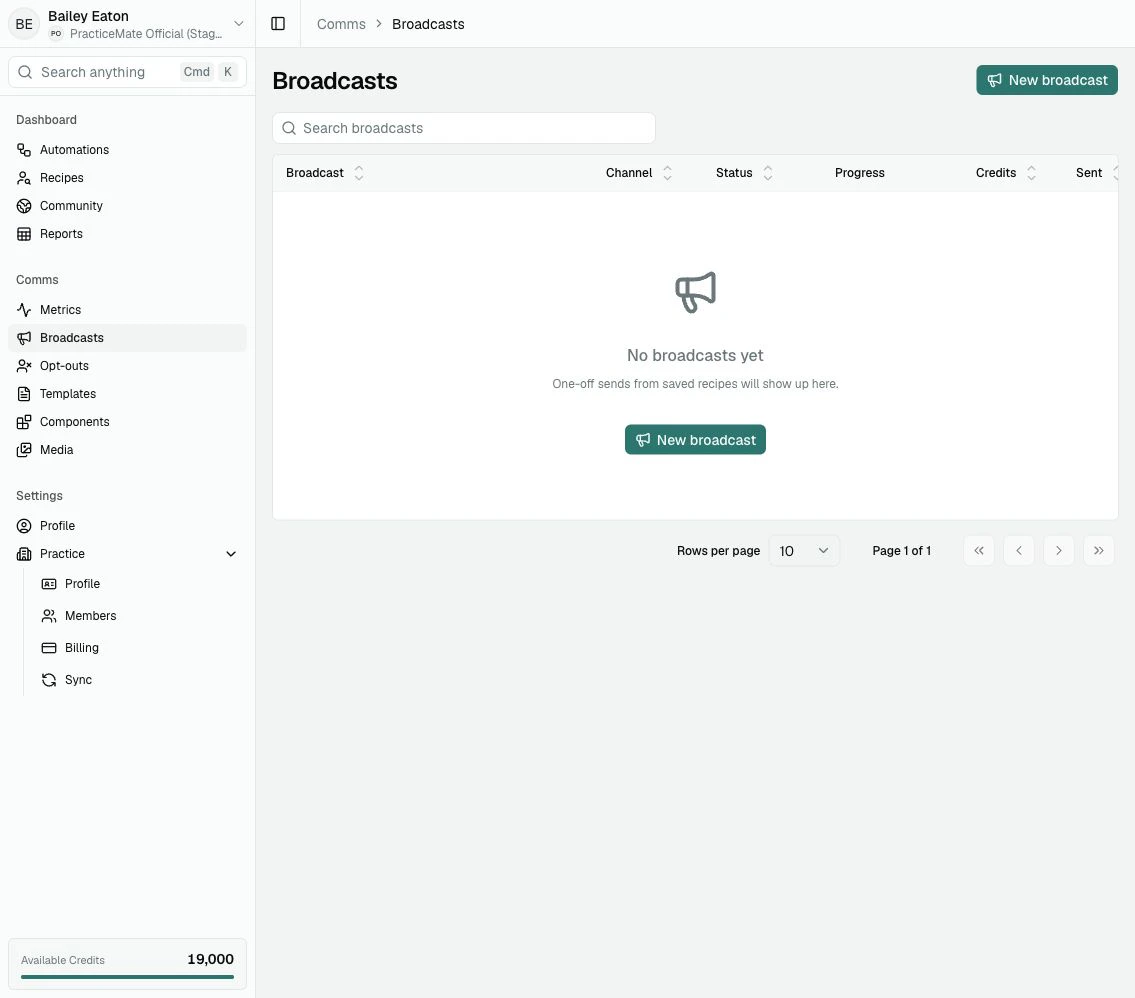
Broadcast or Automation?
Choose a Broadcast when you want to send one Communication now. Choose an Automation when you want PracticeMate to repeat a workflow over time, such as checking a Recipe on a schedule and sending Communications when new patients match.What happens when you send
Before a Broadcast starts, PracticeMate calculates an estimated reach and estimated Credits from the selected Recipe and Template. When the Broadcast starts, PracticeMate checks the Recipe again. This helps the Broadcast use current Practice Data, but it also means the final reach and cost may move slightly if the Patient Cohort changes between calculation and sending. PracticeMate also keeps the selected Template wording steady for that Broadcast. Later edits to the Template do not quietly change a Broadcast your team has already prepared. Patients may be skipped when they cannot be contacted through the selected channel or have opted out of Communications from your practice.A reliable way to send
1
Review the Recipe
Check that the Recipe finds the Patient Cohort you expect before using it in
a Broadcast.
2
Review and test the Template
Make sure the Email or SMS Template is clear, kind, and ready for patients
to receive.
3
Create the Broadcast
Select the channel, Recipe, and Template.
4
Calculate cost
Review the estimated number of patients and Credits before continuing.
5
Read the final confirmation
Sending a Broadcast cannot be undone. Only continue when the patient group,
Template, and cost all look right.
6
Watch the Broadcast list
After sending, the Broadcast appears in the table with its channel, status,
progress, Credits, and sent time.